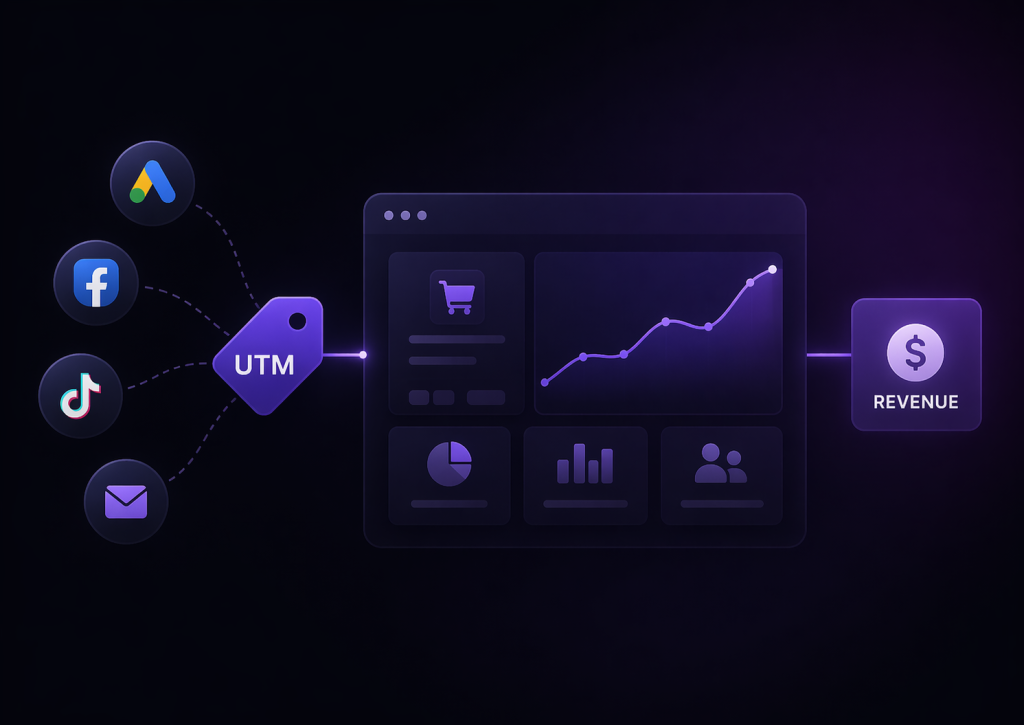


If you’re running any kind of online marketing — ads, email campaigns, social media — you’ve probably asked yourself:
“Where are my customers actually coming from?”
This is exactly the problem UTM parameters are designed to solve.
UTM parameters are small pieces of text added to the end of a URL that allow you to track the source of your traffic. They help you understand not just where users come from, but which campaigns and channels actually drive results.
How UTM Parameters Work
A standard link looks like this:
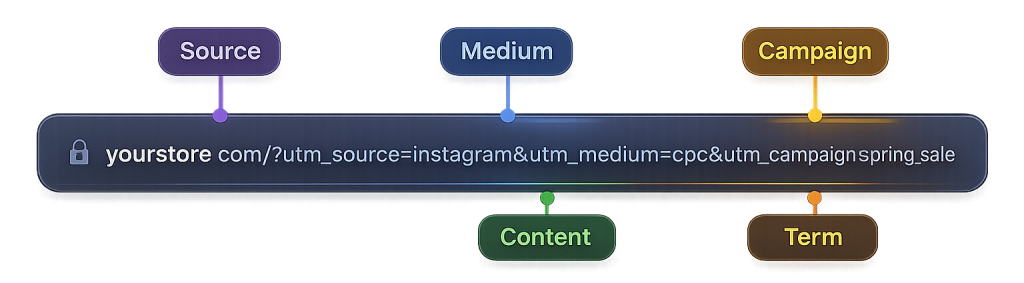
Each parameter adds specific information about the traffic source.
For example:
- utm_source tells you where the traffic comes from (facebook, google, newsletter)
- utm_medium describes the type of traffic (cpc, email, social)
- utm_campaign identifies the campaign (launch, discount, promo)
When a user clicks this link, the data is captured and can be analyzed in tools like Google Analytics.
Why UTM Parameters Matte
Without UTM parameters, most of your traffic data is vague or misleading.
For example:
- paid traffic might appear as “direct”
- different campaigns get mixed together
- you can’t tell which ad or post worked
This makes it almost impossible to answer critical questions like:
- Which campaign generated sales?
- Which channel is actually profitable?
- Where should you invest more budget?
UTM tracking gives you clarity and turns random traffic into structured, actionable data.
The 5 Main UTM Parameters
There are five standard UTM parameters you can use.
The three most important ones are:
- utm_source — the platform (facebook, google, instagram)
- utm_medium — the channel type (cpc, email, referral)
- utm_campaign — the campaign name (black_friday, launch, retargeting)
There are also two optional parameters:
- utm_term — used for tracking keywords (mainly in paid search)
- utm_content — used to differentiate variations (ads, buttons, links)
Using them consistently is more important than using all of them.
Common Mistakes with UTM Tracking
Even though UTM parameters are simple, many businesses use them incorrectly.
One of the most common mistakes is inconsistent naming. For example, using “Facebook”, “facebook”, and “fb” as different sources will split your data into multiple entries.
Another issue is missing parameters. If you don’t tag your links, your traffic will fall into generic categories like “direct” or “referral”.
A more subtle problem is losing UTM data during the user journey. If a visitor clicks a tagged link but later returns directly, the original source can be overwritten — especially in standard analytics setups.
How to Use UTM Parameters Effectively
To get real value from UTM tracking, you need a structured approach.
Start by defining a consistent naming system for your sources, mediums, and campaigns. Keep everything lowercase and standardized.
Next, use UTM parameters in all external links:
- ads
- email campaigns
- social media posts
Finally, make sure you don’t just track clicks — track outcomes. The real value of UTM parameters comes when you connect them to conversions, leads, and revenue.
UTM Tracking and Revenue Attribution
UTM parameters are the first step toward understanding marketing performance, but by themselves they are not enough.
Most analytics tools, including Google Analytics, focus on sessions and conversions — not full revenue attribution.
To truly understand what works, you need to connect:
- UTM data
- user identity
- leads and orders
- actual revenue
When you do this, you move from basic traffic tracking to real business insights.
Final Thoughts
UTM parameters may look like a small technical detail, but they play a huge role in how you understand your marketing.
Without them, you’re guessing.
With them, you start seeing patterns.
And when you connect them to revenue, you finally understand what actually drives your business forward.
That’s where tools like Look at Revenue come in.